
48-Port Cat6A Patch Panel vs. Two 24-Port Panels: Rack Space, Growth, and Cable Management
Share
48-Port Cat6A Patch Panel vs. Two 24-Port Panels: Rack Space, Growth, and Cable Management
When a network needs 48 copper ports, a common planning question is whether to install one 48-port, 1U patch panel or stack two 24-port panels. Both approaches can create a clean, serviceable structured-cabling system. The better choice depends on rack space, current port count, growth plans, cable pathways, and the way the installation team works.
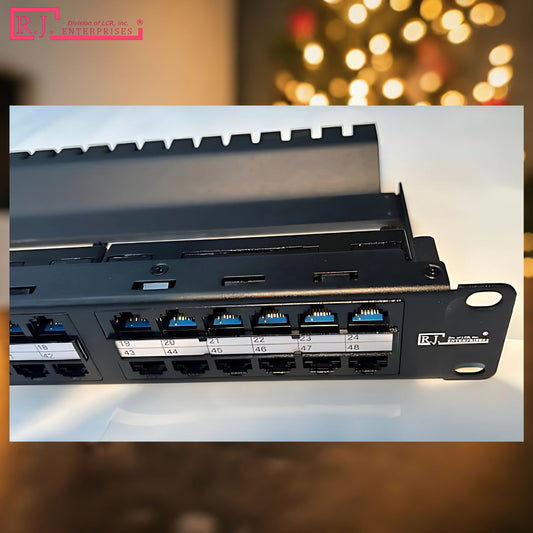
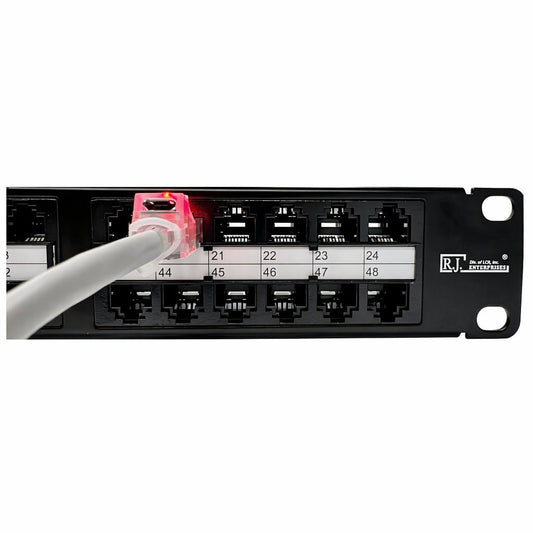
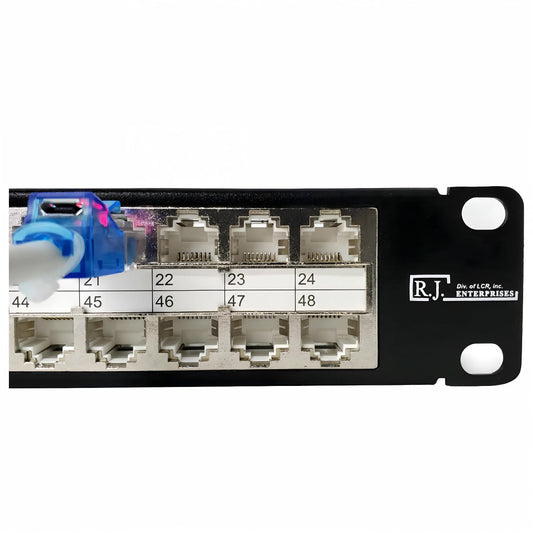
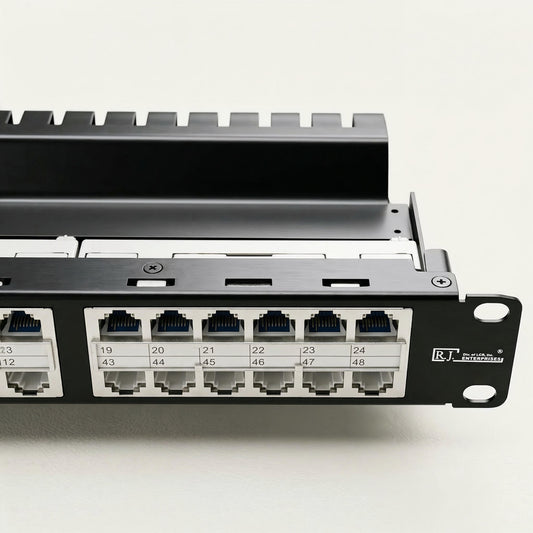
For racks where density matters, a 48-port Cat6A panel such as the R.J. Enterprises HDPP-48-C6A or the shielded HDPP-48S-C6A places 48 ports in one rack unit. Compared with two separate 24-port, 1U panels, that reduces the panel footprint from 2U to 1U—a 50% reduction in rack-unit space. That simple comparison can matter in a crowded network closet, an enterprise rack, or a data-center cabinet where every usable U has a purpose.
Start with the real question: how many ports will the rack need?
A 24-port panel can be an efficient choice for a small office, a single-zone installation, or a network that is unlikely to grow beyond roughly one switch’s worth of copper connections. Two 24-port panels can also make sense when the installation is phased, such as when one floor or department is added later.
But if the design already calls for close to 48 permanent cable runs, starting with a single 48-port panel avoids using two separate panel positions to reach the same port count. The decision should be based on the permanent horizontal cabling, not merely the number of devices plugged in today. Unused ports can be reserved for later moves, access points, cameras, VoIP devices, control systems, or workstation expansions.
For a general introduction to the role of the panel in this system, see our guide to what patch panels are. The panel is the structured, labeled termination point; the switch is the active device that provides network connectivity. Those roles remain distinct whether you choose 24 or 48 ports.
The rack-space difference is straightforward
| Option | Port count | Panel rack space | Typical fit |
|---|---|---|---|
| One high-density 48-port panel | 48 | 1U | Dense racks, planned 48-port deployments, future growth |
| Two 24-port panels | 48 | 2U | Phased projects or separate cabling zones |
A one-U savings may sound modest, but it can free space for a horizontal cable manager, a second switch, a fiber enclosure, a UPS component, or simply improved airflow and service access. In compact edge racks, that room can be especially useful. Our article on high-density patch panels explains why concentrating more ports into fewer rack units is helpful when cabinet capacity is constrained.
Do not judge density by rack units alone
Rack space is only one part of the calculation. A 48-port panel also concentrates cable terminations, labels, and patch cords in one location. That can make the rack easier to read when the ports follow a clear numbering plan—for example, 1–12 for offices, 13–24 for wireless access points, 25–36 for cameras, and 37–48 reserved for expansion.
At the same time, a denser panel needs good cable management. Plan pathway capacity, bend radius, slack storage, and front-side patch-cord routing before installation. Use horizontal and vertical management where appropriate, and leave enough room for technicians to trace labels and access the ports without pulling on neighboring cords. The TIA-568 structured-cabling standards family is a helpful starting point for understanding the broader cabling system; project teams should confirm the standards, local requirements, and customer specifications that apply to their installation.
Choose Cat6A when the channel and roadmap call for it
Category choice matters as much as panel count. The HDPP-48-C6A and shielded HDPP-48S-C6A are designed for Cat6A installations where 10GbE performance over a full 100-meter channel is part of the plan. That can be valuable for server rooms, high-capacity Wi-Fi, enterprise endpoints, and growing networks that want a stronger copper foundation.
Cat6 can still be a sound choice for many installations, especially when the existing cable plant and performance requirements already match it. R.J. Enterprises also offers the HDPP-48-C6 and shielded HDPP-48S-C6 for 48-port Cat6 deployments. Read our Cat5e vs. Cat6 vs. Cat6A comparison before selecting the category, and make sure the panel, permanent cable, jacks, cords, and equipment all support the intended channel.
For an independent technical overview, Fluke Networks’ Cat6 and Cat6A comparison explains why cable category and channel length should be considered together.
Tool-less installation changes the workflow
Traditional patch-panel termination requires careful conductor placement and punch-down work at every port. The R.J. Enterprises high-density feed-through design is tool-less: compatible keystone jacks seat directly into the panel, eliminating the punch-down step at the panel itself. That approach can simplify repetitive installation tasks and help reduce opportunities for termination errors.
It does not remove the need for disciplined work. Installers should still use compatible components, follow the jack manufacturer’s termination directions, maintain a consistent wiring scheme, protect cable bend radius, and test every permanent run. Fluke’s wire-map testing guide explains why a finished link should be tested rather than assumed correct based on conductor colors alone.
When two 24-port panels may be the better fit
A high-density 48-port panel is not automatically the right answer. Two 24-port panels may be preferable when the cable runs serve separate zones, when a project is intentionally staged, or when the team wants a physical separation between networks. For example, one panel might serve office drops while a second serves cameras or building systems. Separate panels may also make sense if only 24 ports are currently justified and a second 24-port addition can be scheduled with a later project phase.
The key is to avoid making the decision only on the lowest initial cost. Consider the expected life of the rack, reserved capacity, space available for future equipment, labeling strategy, and the labor involved in adding another panel later.
Plan the panel as part of the complete rack
Whether you select one 48-port panel or two 24-port panels, the best result comes from a complete rack plan: panel location, switch placement, cable managers, fiber hardware, power equipment, labeling, grounding where applicable, and documentation. For a broader planning list, use our structured cabling checklist.
If 48 ports are already in the design, one 1U high-density panel offers a clean way to preserve rack space while keeping the copper layer centralized. Browse our patch-panel collection to compare Cat6, Cat6A, shielded, and unshielded options for your next build.